Using a Calendar Event to block booking windows
Calendar Events allow you to block off timed events in your calendar, such as for a private party, closure for a staff meeting, etc. This has two benefits:
- Remind you and your staff when various events are taking place
- Restrict customers from joining the ArrivalList or making booking requests for that time period
Creating a Calendar Event
Tap the calendar icon on the left to access the calendar view.

On the calendar view page, tap the + Calendar Event button.
 Choose a Start and End Date/Time, as well as a Title.
Most of the other fields are reserved for future functionality, and you can leave them blank for now.
The Event Type is an informational field that helps you better identify your events.
There are also checkbox options at the bottom:
- Business Closed - Treats the business as closed during the event, which automatically enables the other close/block settings.
- Close ArrivalList - Stops customers from joining the ArrivalList during the event.
- Block Off Bookings - Blocks customers from making bookings during the event.
- Block Off Group Bookings - Blocks customers from making group bookings during the event.
- Show on Public Calendar - (not implemented yet)
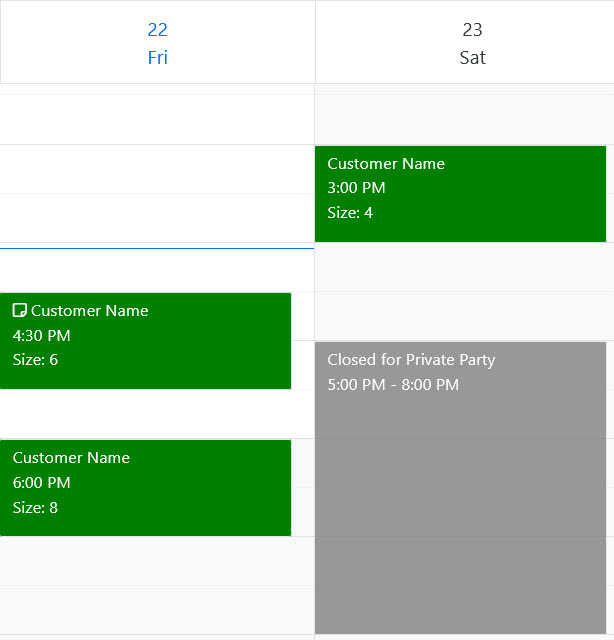
Calendar Events will be shown as gray in the calendar: